Import, export & PDF pedigrees
Your data stays yours: take it along, bring it in, print it.
Export your breeding data whenever you like, import birds from other programs and hand buyers a printed pedigree.
How it works
3 steps, straight from the app
- 01
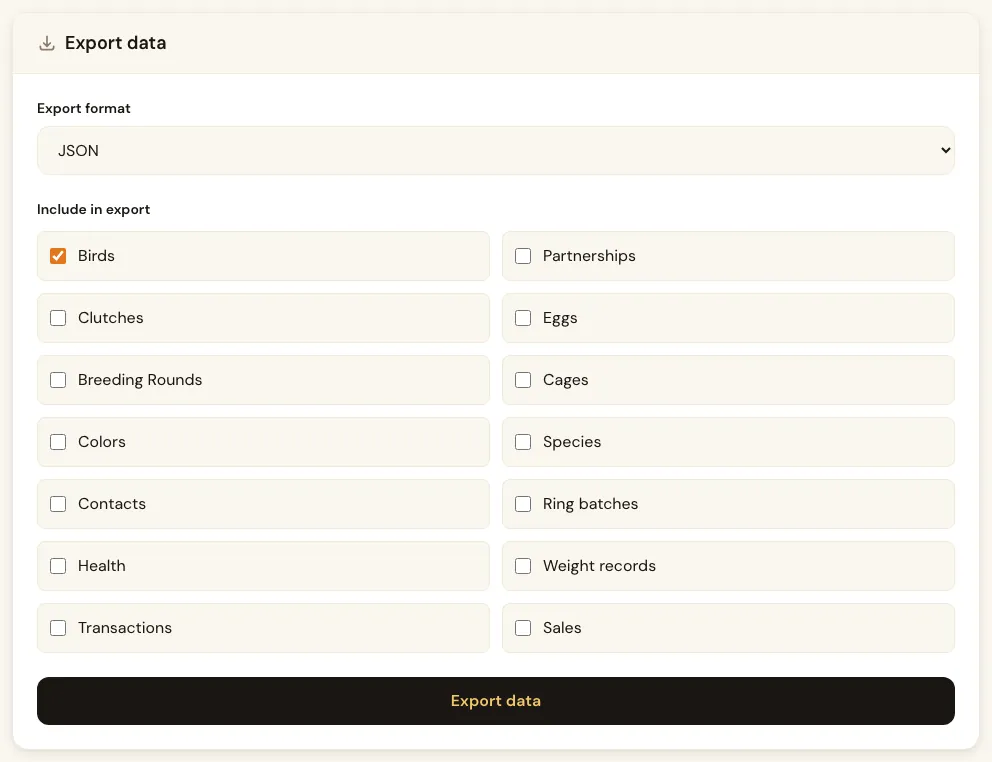
Export your data
Download your data as JSON, CSV or XML and choose what goes in: birds, partnerships, clutches, eggs, breeding rounds, cages, colours, species, contacts, ring batches, health, weights, transactions and sales.
- 02
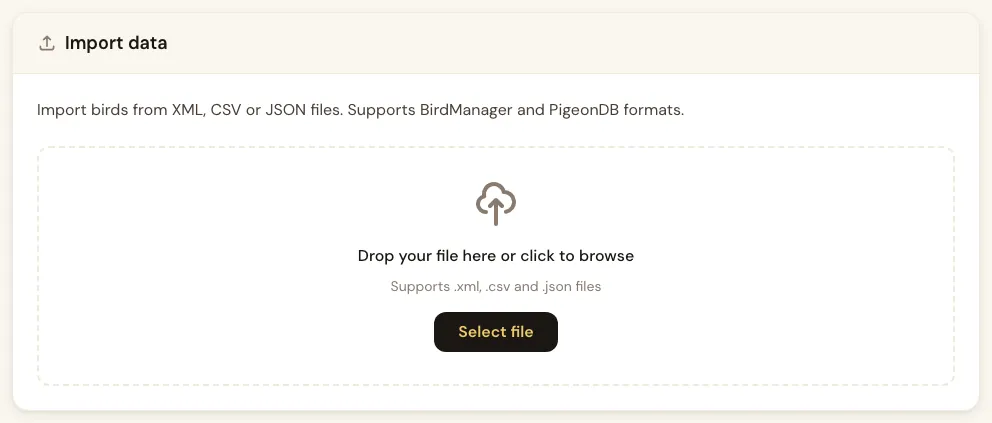
Import from another program
Upload a Newbred export (JSON, XML or CSV) or a PigeonDB file (XML or CSV). The import runs in the background while you keep working.
- 03
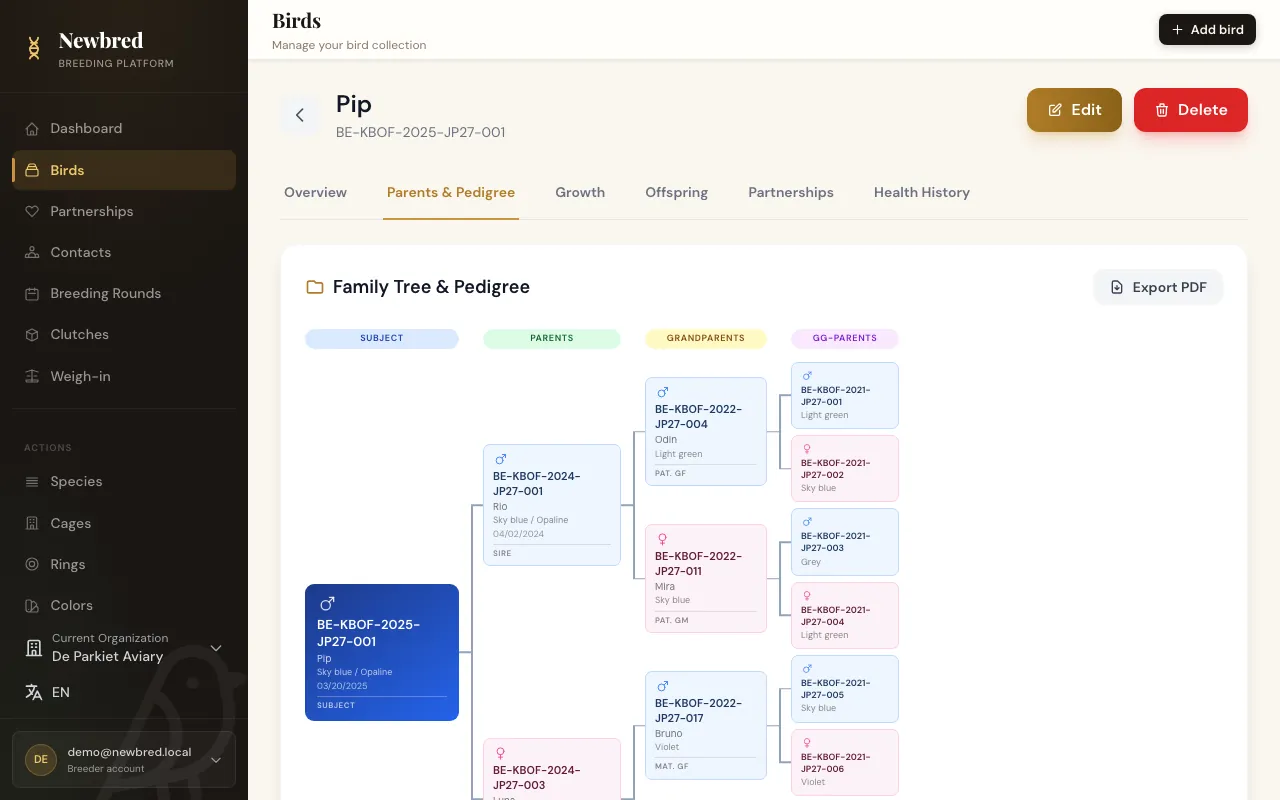
Print a pedigree as PDF
From a bird's pedigree, export a PDF for buyers, shows or club records. It is generated in the background and ready to download a moment later.
Key capabilities
- Export as JSON, CSV or XML
- Choose exactly which data goes into the export
- Import from Newbred exports and PigeonDB files
- PDF pedigrees with 3 generations on Starter and Hobby Breeder, 5 on Pro Breeder and Business
Included in
Import & export
- Starter
- Hobby Breeder
- Pro Breeder
- Business
PDF pedigrees
- Starter
- Hobby Breeder
- Pro Breeder
- Business
Try it with your own birds
Start on the free Starter plan. No credit card needed, upgrade whenever you are ready.