Ring management
Your federation rings in stock, and on the right bird.
Register the closed rings you order from your federation, ring chicks from a batch in a few clicks and see which chicks still need a ring.
4 steps, straight from the app
- 01
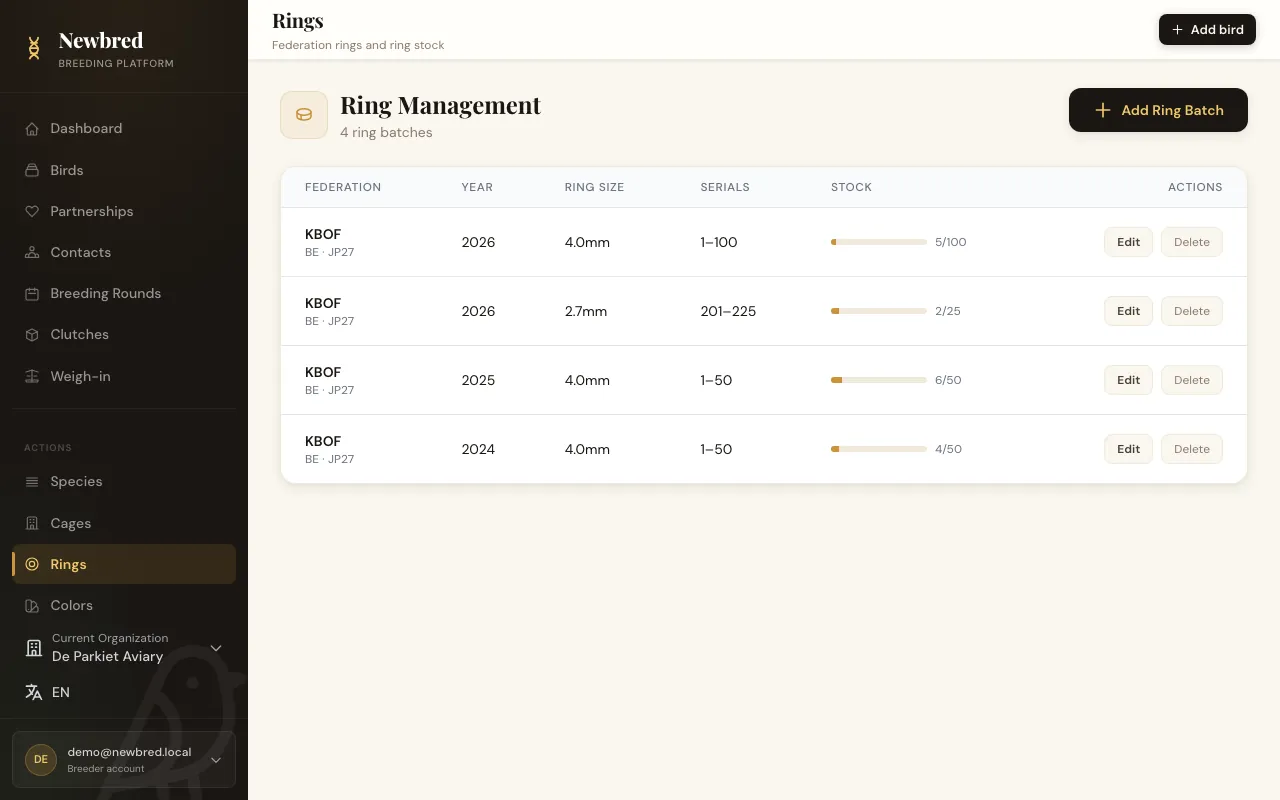
Register your ring stock
Add each batch of rings with its federation, country, year, ring size, breeder number and serial range. A stock bar shows how many rings are used and how many are left.
- 02
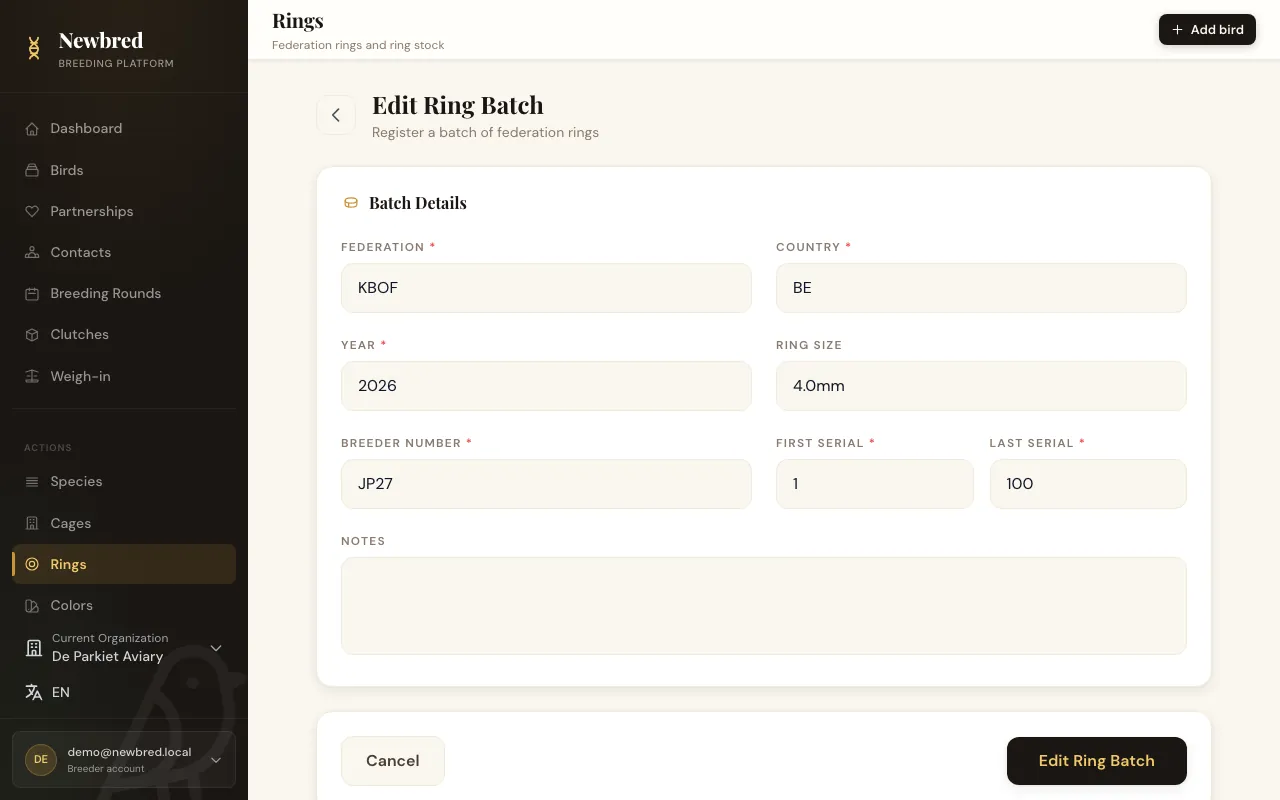
Keep every batch complete
Each batch keeps its federation, country, year, size, breeder number and serial range, plus notes for your own reference.
- 03
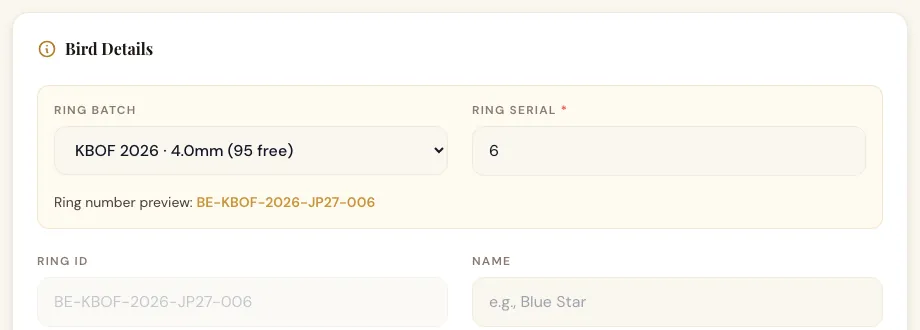
Ring a bird from a batch
On the bird form, pick a batch: the next free serial and the ring size are filled in and the full ring number is composed for you. Serials outside the range or already in use are refused.
- 04
Never miss the ringing window
Your dashboard counts the chicks that are past their species' ringing age and still have no ring, so none of them slip through.

Key capabilities
- Ring batches with federation, country, year, size, breeder number and serial range
- Ring numbers composed automatically from batch and serial
- Protection against serials outside the range or used twice
- Ringing age per species, with a count of unringed chicks
Included in
- Hobby Breeder
- Pro Breeder
- Business
Try it with your own birds
Start on the free Starter plan. No credit card needed, upgrade whenever you are ready.